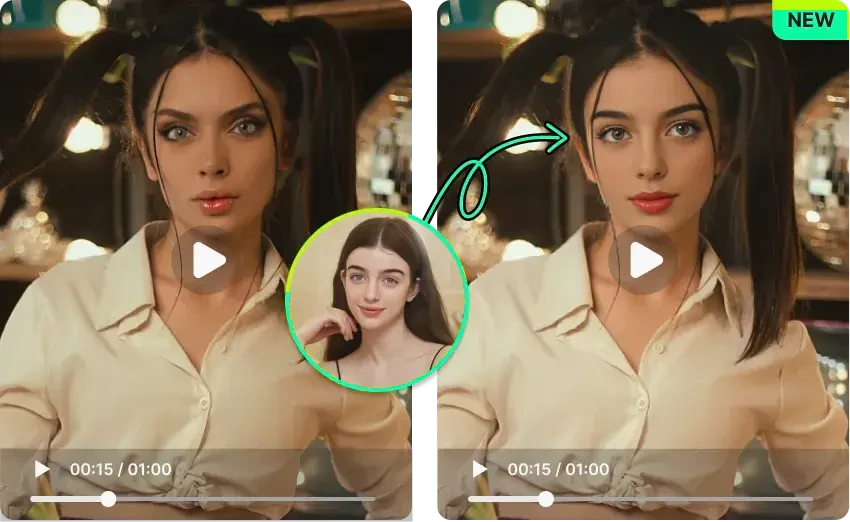
Video face swap on Android. A new face in the scene.
Choose a video and a source face, run the core swap on your phone, follow progress, and save the result. Use the single-person workflow or a separate multi-person video workflow.
Feature illustration / creative example. Results vary by media and device.HOW IT WORKS
From your media to a new result
Choose a custom video; a short clip is a useful starting point.
Add a source face and review the credit cost displayed before creation.
Wait for processing, check the picture and sound, then save or share.
On-device processing takes work
Video processing includes decoding, face processing, and encoding again. Duration, resolution, motion, occlusion, face count, and phone performance affect the experience; there is no fixed completion time for every device.
MP4 output and source audio
The current video pipeline encodes H.264 into an MP4 file and attempts to retain compatible source audio. Audio formats and device media capabilities can prevent retention; sound is not guaranteed for every input.
Video credits apply with and without PRO
Single-person videos cost 1 credit per 10 seconds without PRO, or per 15 seconds with PRO, in time blocks. A 30-second clip costs 3 or 2 credits respectively. Multi-person videos cost twice the single-person rate.
IN THE ANDROID APP
Watch the app’s introduction demos.
These are the original/effect videos bundled in Beauto’s Android onboarding. They demonstrate the concept, not a recording of the current workflow or a device performance test.
Core face swapping runs locally, while templates, resources, accounts, credits, and purchases use network services. On-device processing does not mean the entire app is offline.
Why can faces flicker?
Motion blur, side angles, occlusion, and lighting changes can make face detection and blending vary between frames. Try a clearer short clip with a consistently visible face.
Use media with permission. Review results before sharing.Responsible use ↗